As we have lots of encryption on the way, such as TLS and Signed content, we need to understand which certificate is used for which encryption.
According to the Payment Systems documentation, for 3DSS it is required to prepare the following certificates:
- TLS Server certificate for communications between the Directory Server and the 3DSS
- TLS Client certificate for communications between the 3DSS and Directory Server
Let's figure it out, what, where and how.
But first of all, let us introduce the freeware tool, which will help us to generate, create, export and import all keys and certificates which are required. This tool really makes our life easier.
KeyStore Explorer
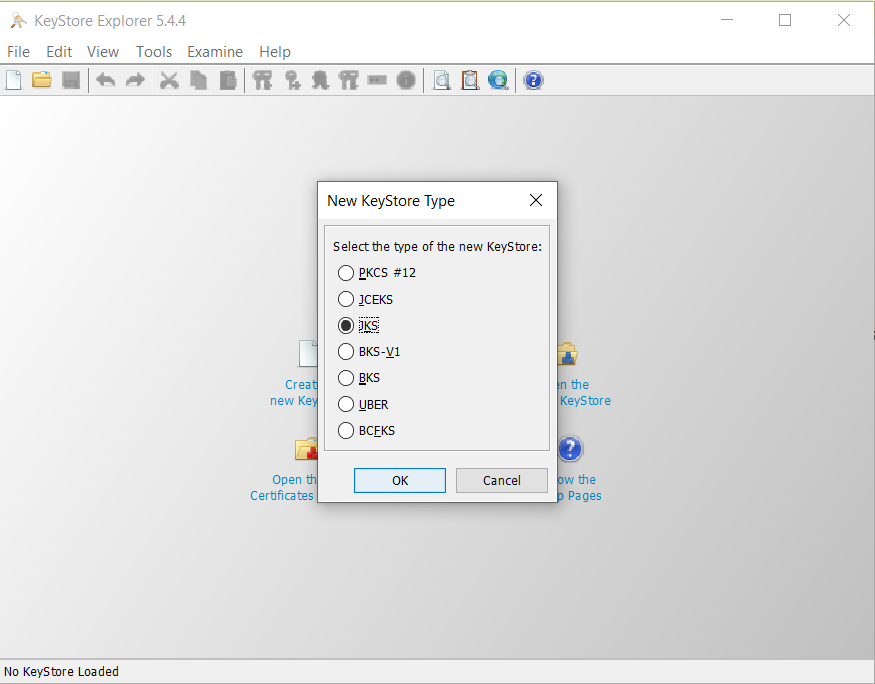
As of now, D8 3DSS supports only one format of keystore - JKS.
So, in KeyStore Explorer, choose JKS button to create appropriate object.
¶ Generate Key Pair
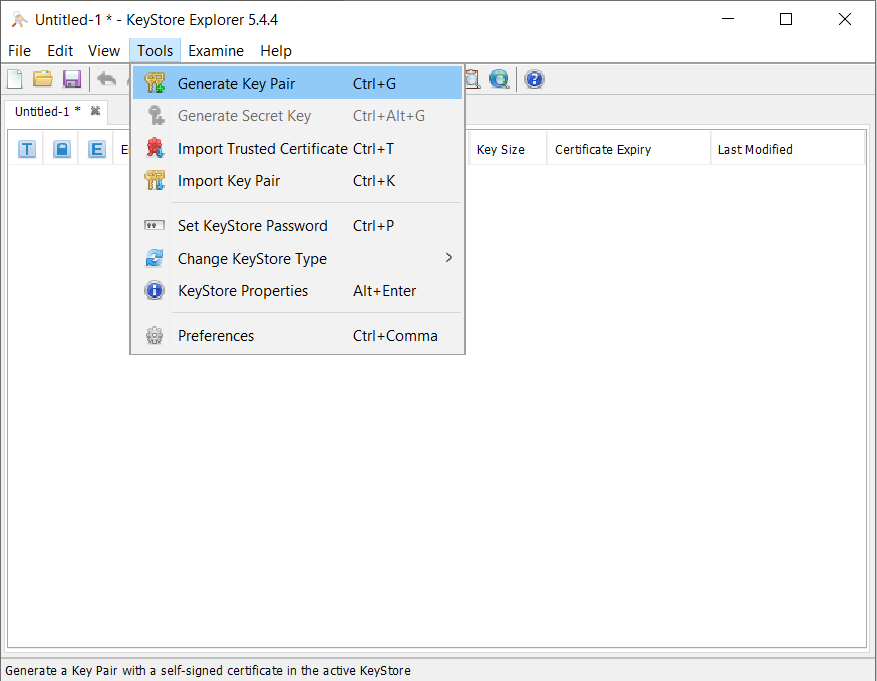
The next step is to generate key pair.
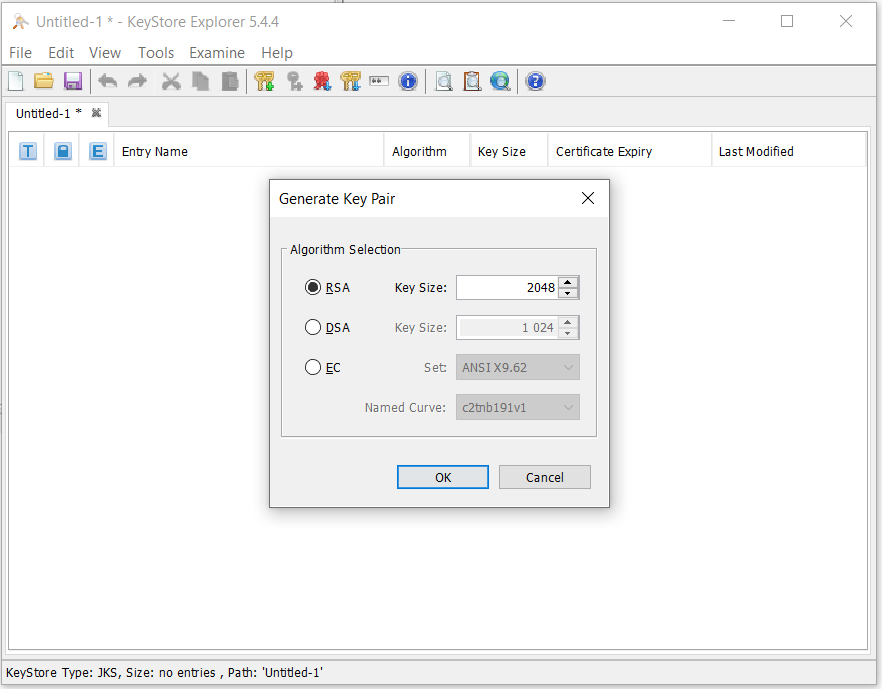
According to PS docs, the cryptographic algorithm used for 3DS2 is RSA, with key size minimum 2048 bit.
The next step will require data, needed for certificate request.
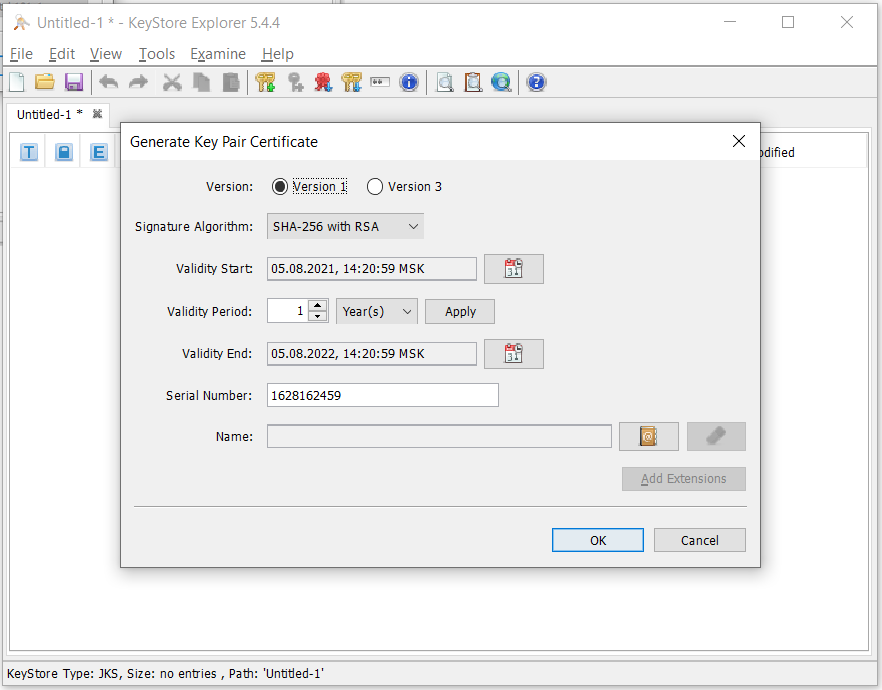
As we don't need Extensions for certificates, it is enough to choose Version 1.
Signature Algorithm, by default, is set to SHA-256, it is feasible for our exercise, so keep it.
Also, you may not to change the Validity Period, which 1 Year by default.
Serial Number will be provided by default, let's keep it too.
So, the only data we have to provide here is Name, also known as Subject for certificates:
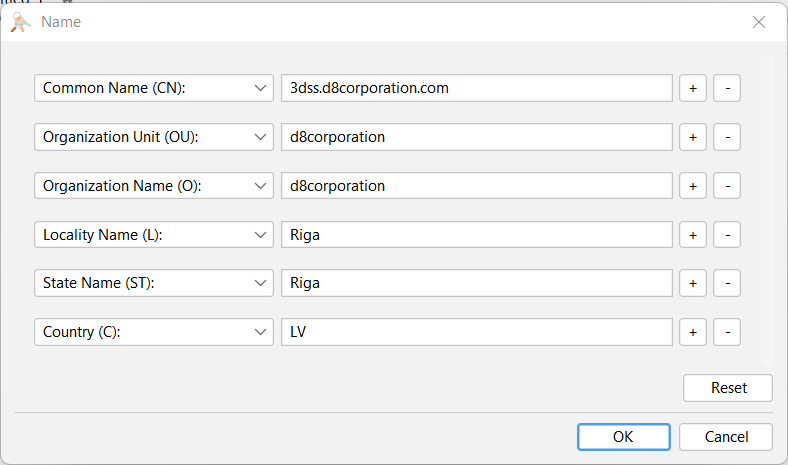
Mastercard requirements:
Common Name (CN) - The common name must be populated with one of the following characteristics of the site that will utilize the certificate [Domain Name] OR [public IP].
Domain Name, for example, www.3dsservername.com.Organizational Unit (OU) - Unique identification of the party is required within the OU field of the certificate.
3DSS-[Operator ID]-[Optional Free Text]for TLS Server Certificate
3DSC-[Operator ID]-[Optional Free Text]for TLS Client CertificateOrganizational Name (O) - Operator registered company name.
Country (C) - Country where the processor is located. This should be the ISO 3166 2 character country code (for example, US)
Enter alias for the particular key pair, and password if required.
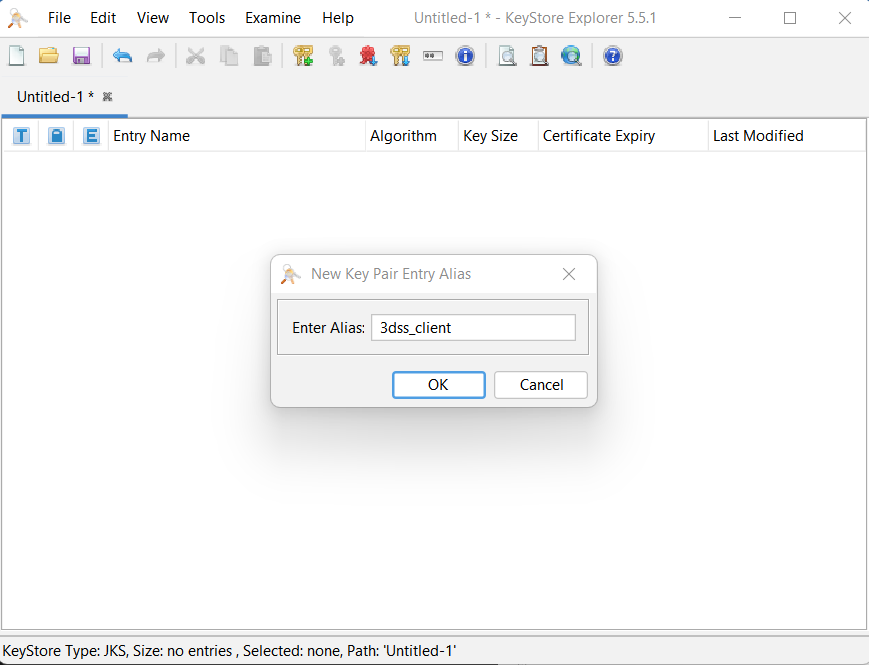
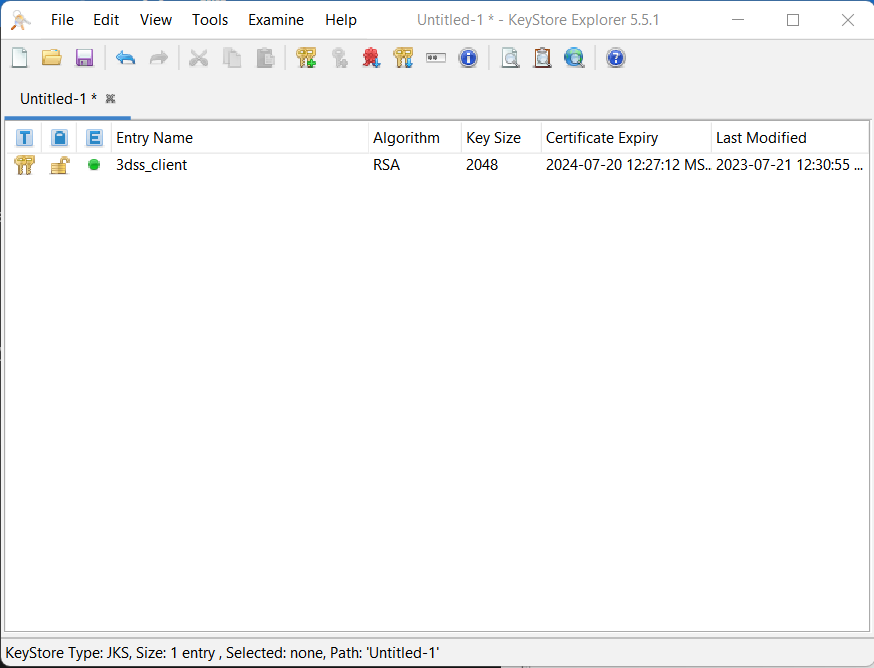
So, we have created the kay pair (and certificate), named it with alias and we are ready to generate CSR.
¶ Generate CSR
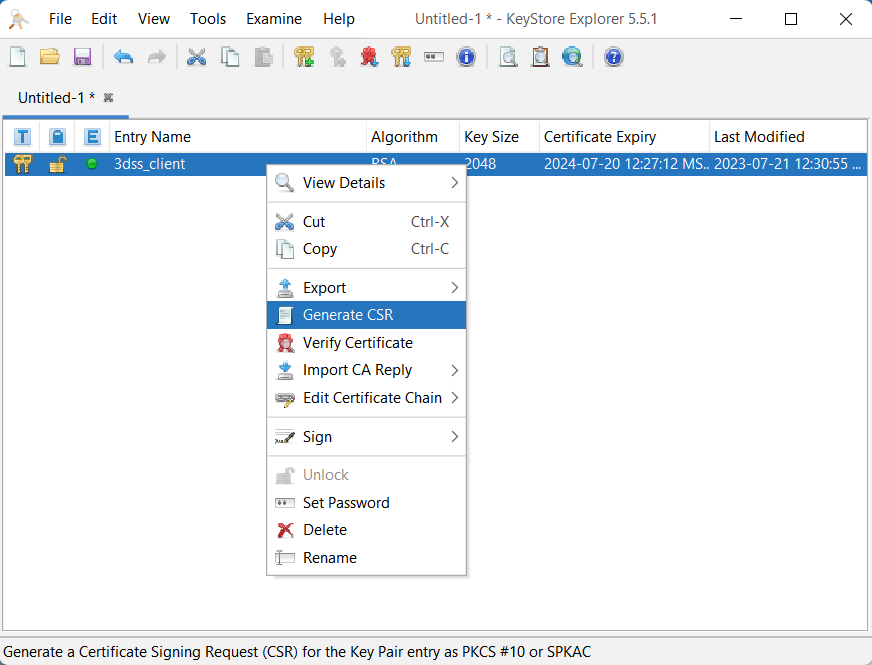
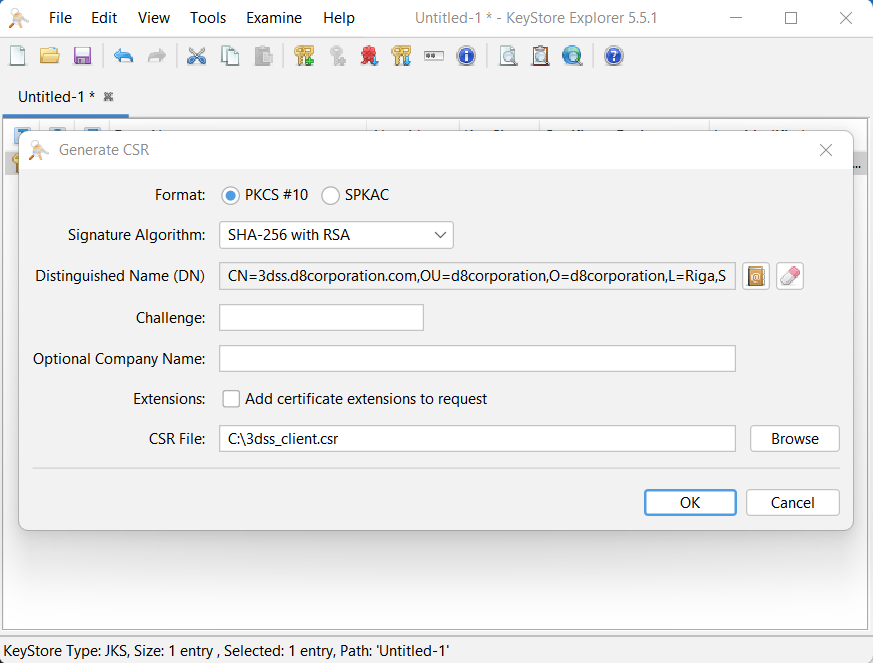
To generate Certificate Signing Request it is required:
- choose PKCS#10 format, which is aligned with PS requirements
- choose signature algorithm, or keep it by default
- correct Name data, if needed
- skip challenge, optional and extensions
- and provide the path for CSR file
Mastercard requirements:
3DSS TLS Client and Server Certificates
The PKCS#10 request file should be Base64 encoded.
Mastercard requires that the PKCS#10 file be named as follows:
3-DSServer-TLS-Client-OperatorID-dateDDMMYYfor client certificate and
3-DSServer-TLS-Server-OperatorID-dateDDMMYYfor server certificate.
For example, a request to be sent on 1 April 2020 in which Operator ID (OperatorID)
is equal to SVR-V201-AZ-25258, would appear as
3-DSServer-TLS-ClientSVR-V201-AZ-25258-01042020for client certificate.
All certificate requests must be sent to the appropriate Payment System CA for processing.
¶ Import Signed Certificate
When PS has signed your CSR you need to import the certificate to keystore.
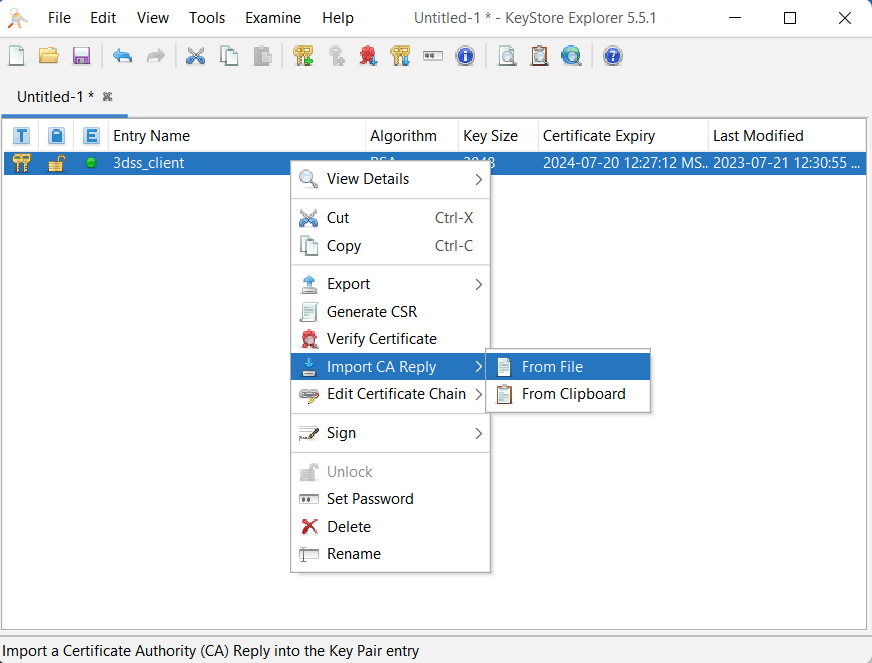
By default, all certificates will be returned in Privacy Enhanced Mail (PEM), PKCS#7, and Distinguished Encoding Rules (DER) formats.
Done! Congratulations, you have successfully uploaded your certificate and ready for Production.
Of Course you have to repeat the same exercise for other certificates 